

Every case, deadline and billable hour, in one system.
Case and practice management for law firms: cases, documents, calendar, and time and billing, configured for your practice areas. We improve it every week and publish exactly what changed.
Works with the tools your firm already uses
- Microsoft: SharePoint, Word and Outlook
- Egnyte: Document storage
- Apple: Calendar subscription
- LEDES: Invoice export
Configured for 31 practice areas on day one
See every practice area- Admiralty
- ADR
- Aviation
- Bankruptcy
- Civil Rights
- Constitutional
- Construction
- Consumer Protection
- Contract
- Corporate & Securities
- Criminal
- Divorce
- Employment & Labor
- Environmental
- Family & Juvenile
- Health
- Immigration
- Insurance Defense
- Intellectual Property
- International
- Landlord / Tenant
- Military Justice
- Personal Injury
- Property & Real Estate
- Social Security
- Sports & Entertainment
- Tax
- Technology
- Tort
- Wills, Trusts & Estates
- Workers' Compensation
The product
Built around the way a firm runs a case.
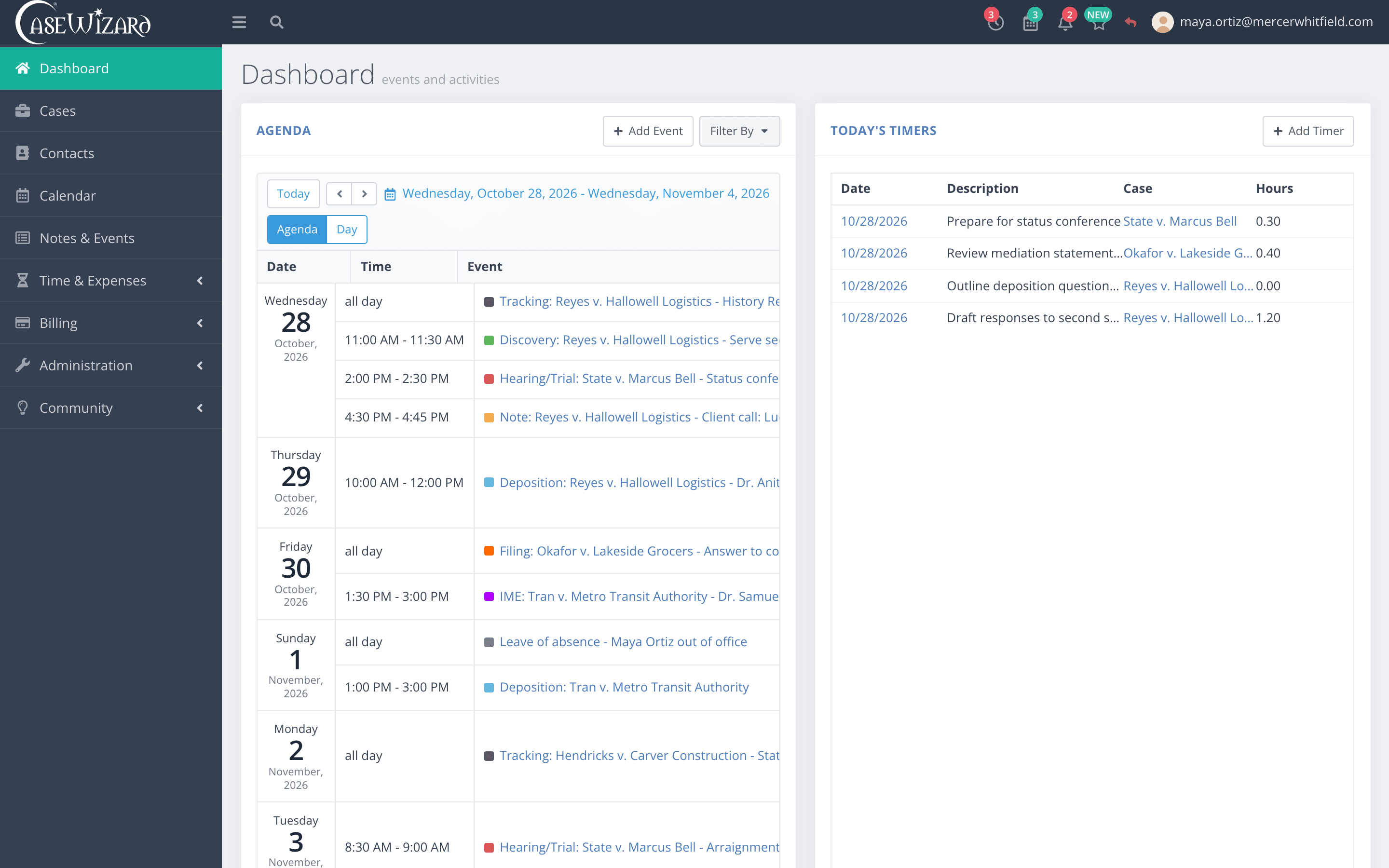
From intake to the final invoice, every part of the matter lives in one place, and everyone at the firm works from the same file.
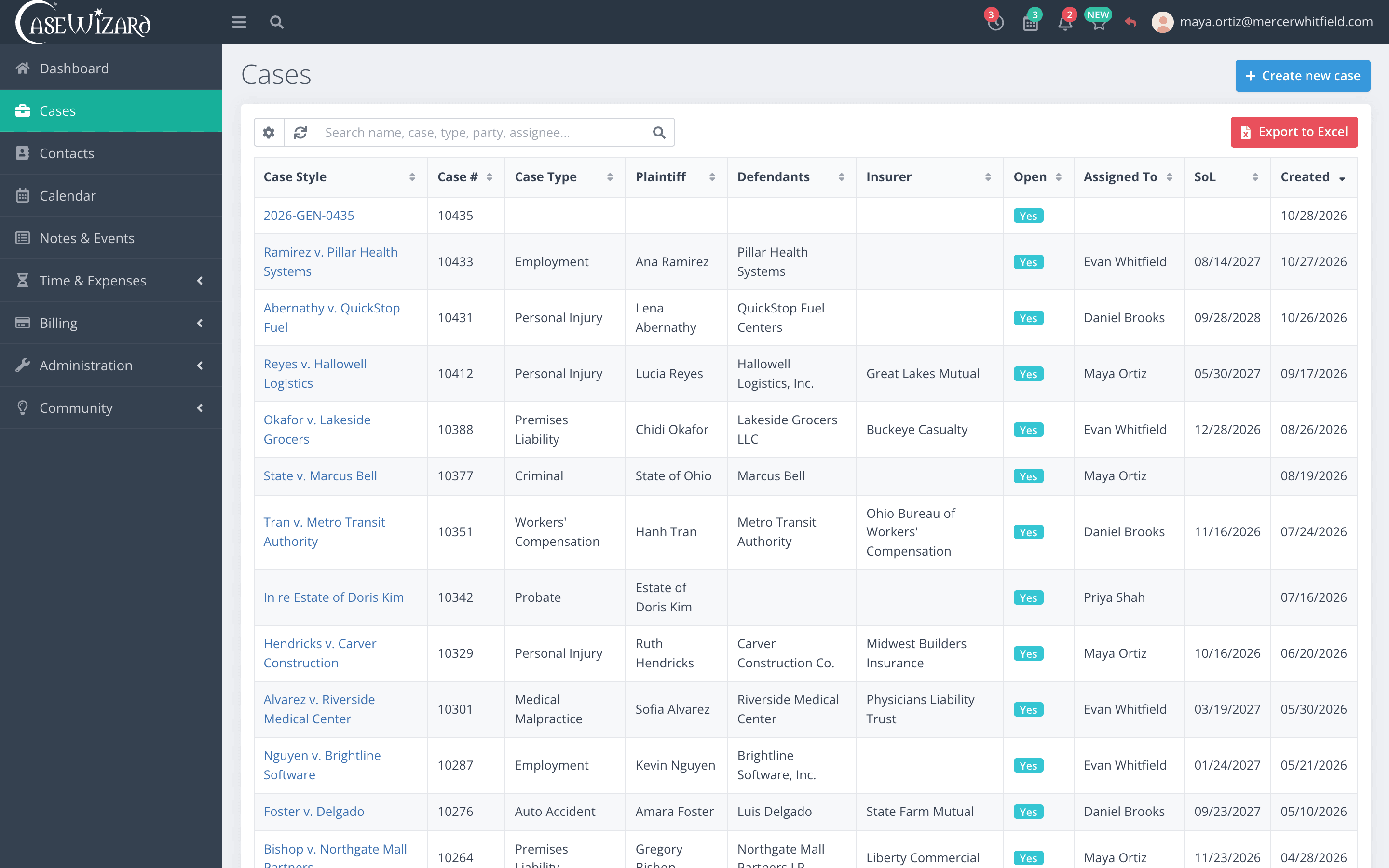
Every matter in the firm, one list.
Search by name, number, type, party or assignee, sort by any column, and send the list to Excel when someone asks for it.
- Search across parties, insurers and assignees
- Sort by any column
- Export to Excel
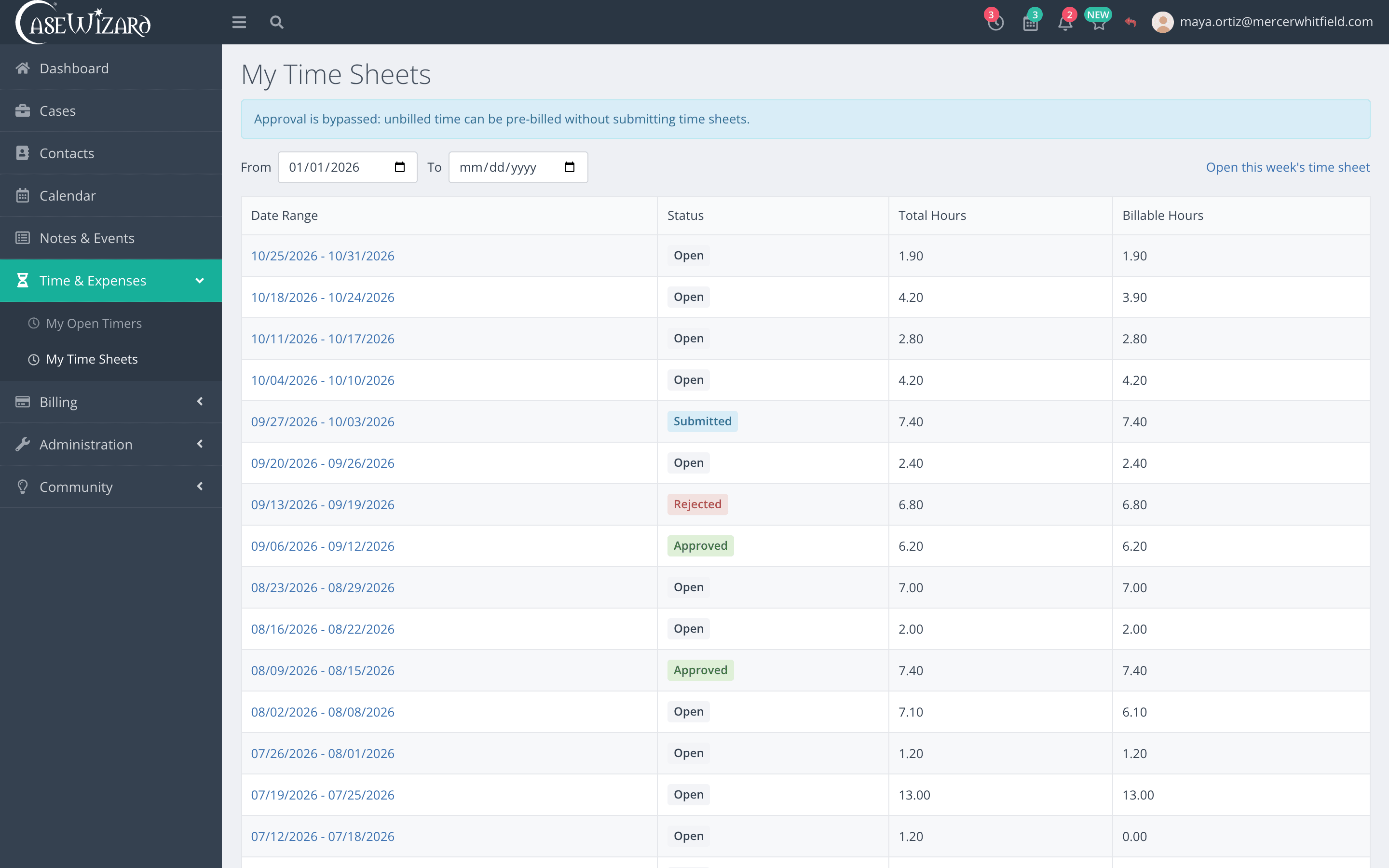
Practice areas
The fields your practice actually tracks.
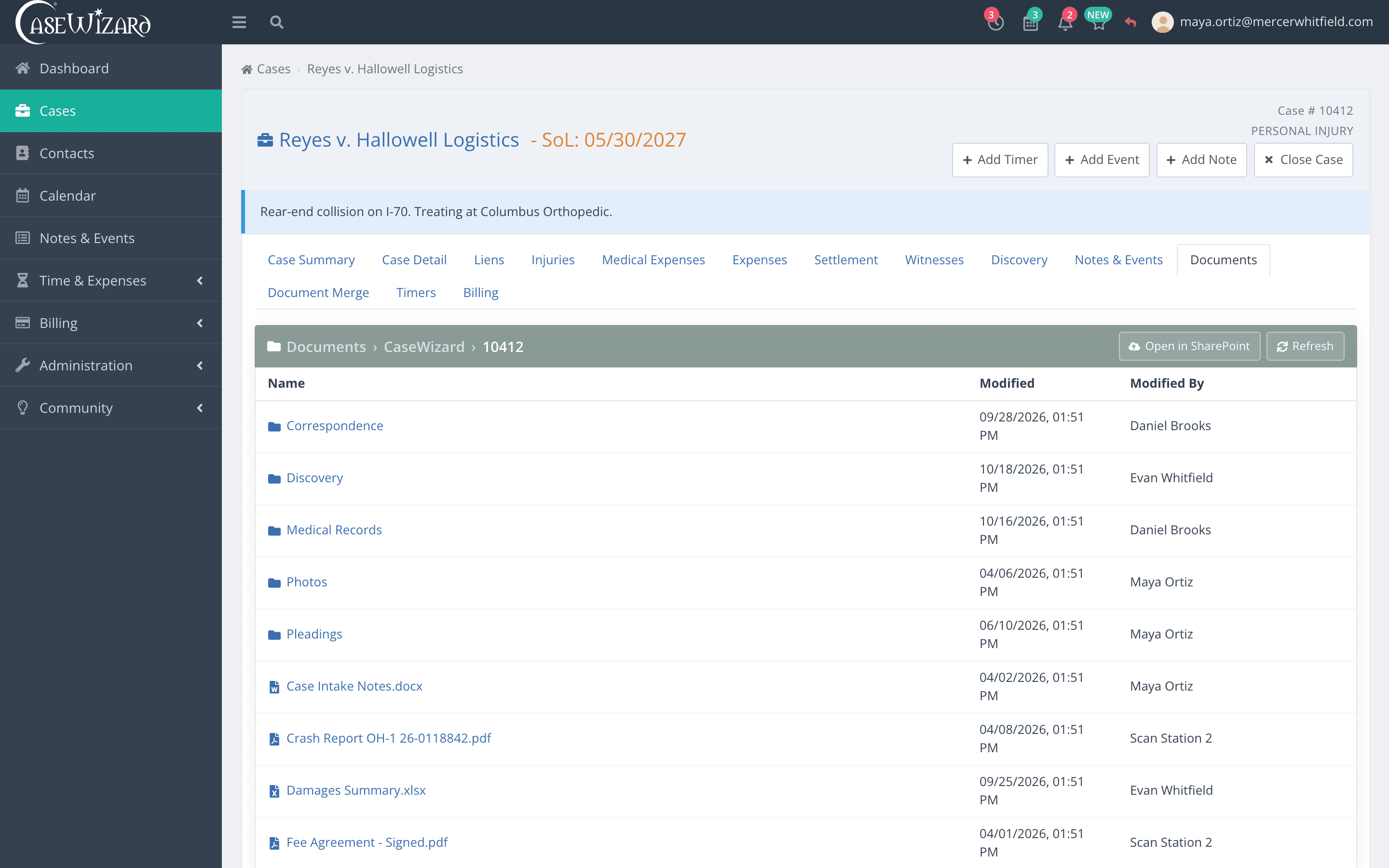
A personal injury case tracks treatment, liens and offers. A criminal case tracks charges, judges and officers. Each practice area ships with its own tabs and fields, and you can change every one of them.
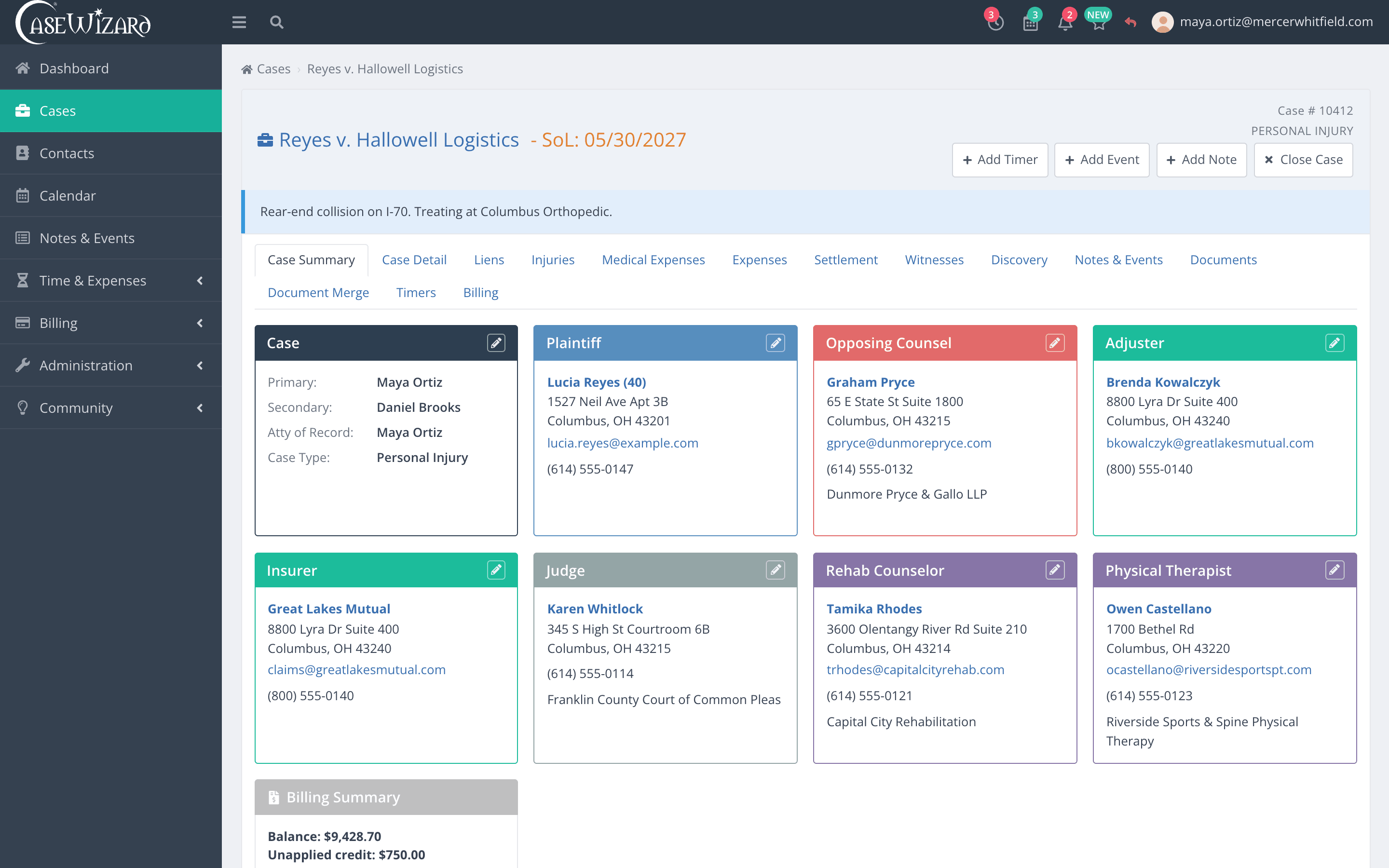
Reyes v. Halloway Logistics: plaintiff, insurer, adjuster and treating providers on one screen, with the statute of limitations in the header.
In court and on the road
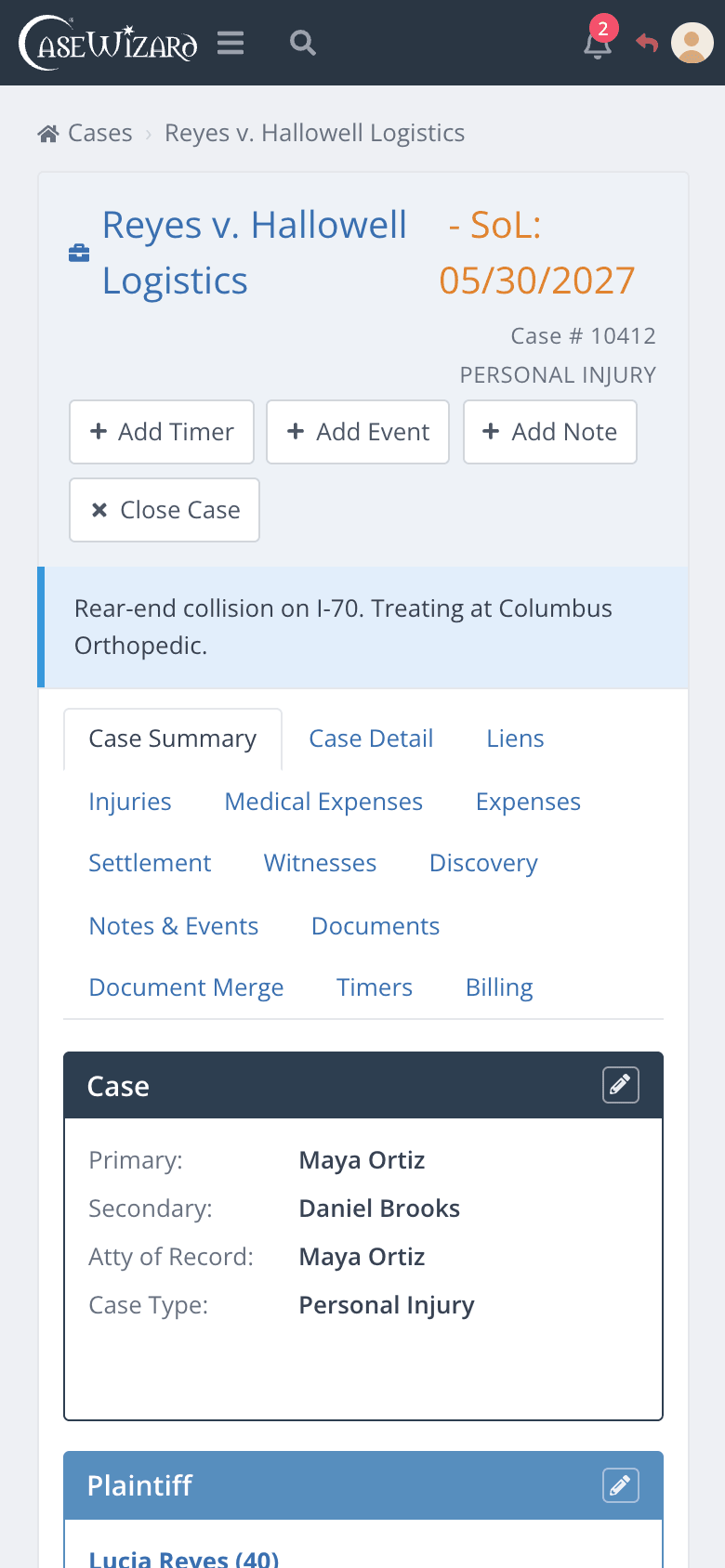
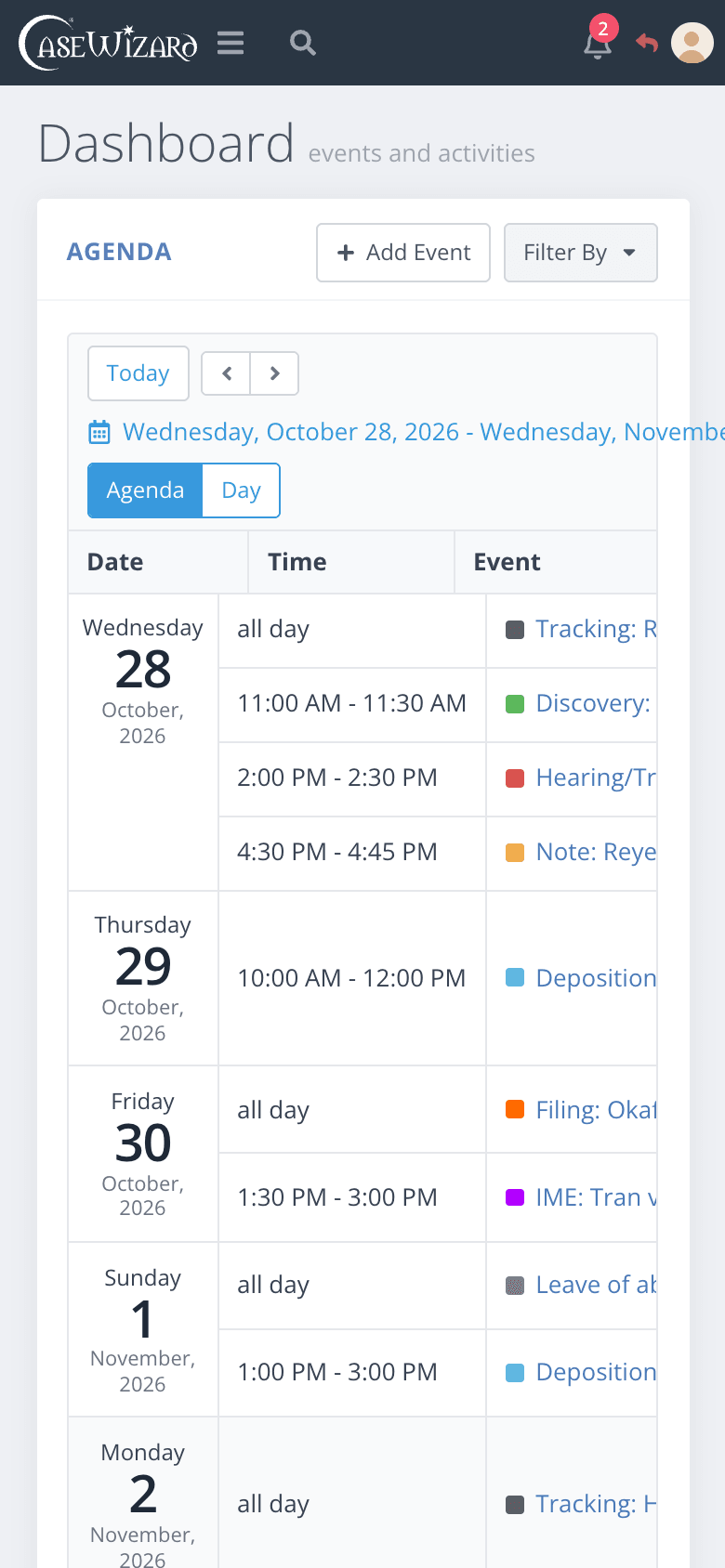
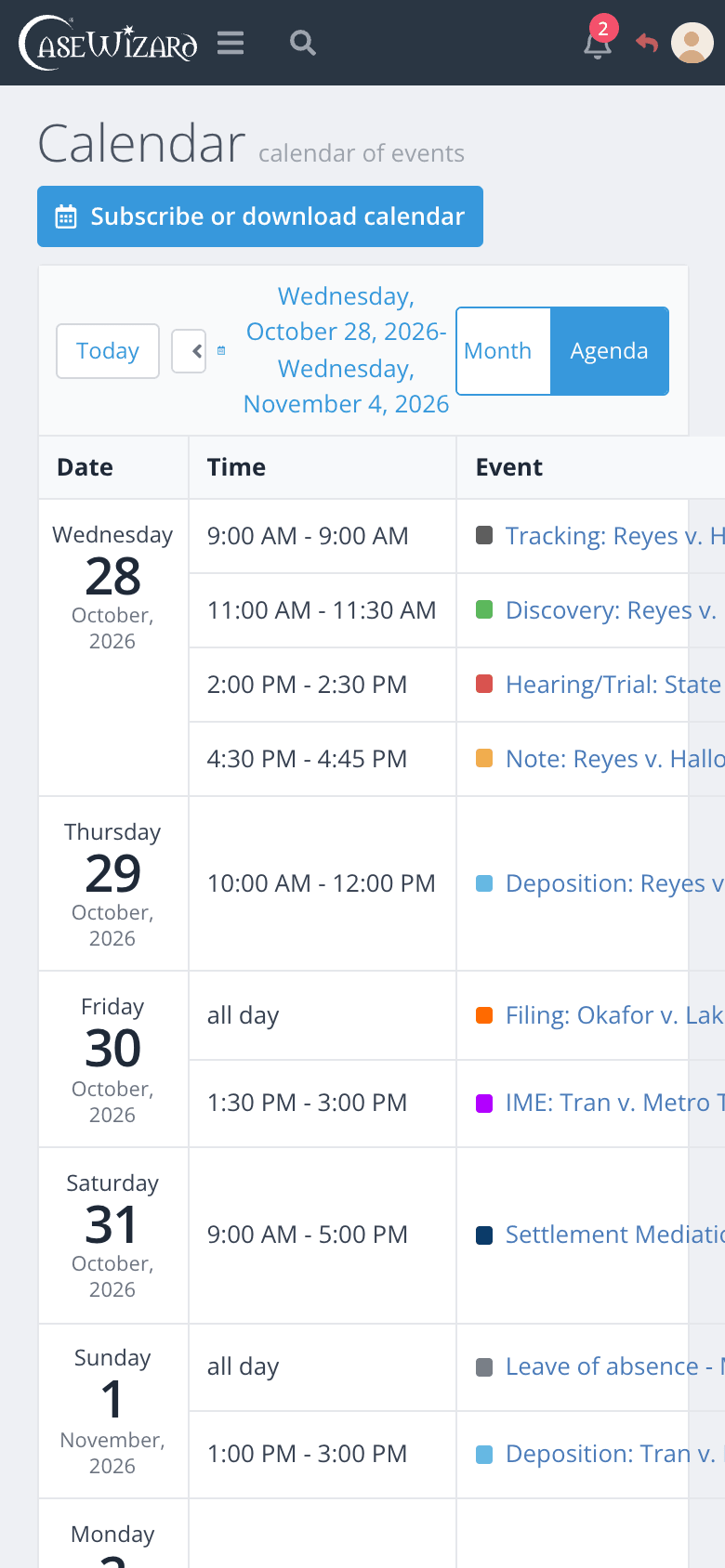
The same CaseWizard on your phone.
There is nothing to install. CaseWizard runs in the browser on a desktop, a tablet or a phone, so the case file, the calendar and your timers go wherever you do.
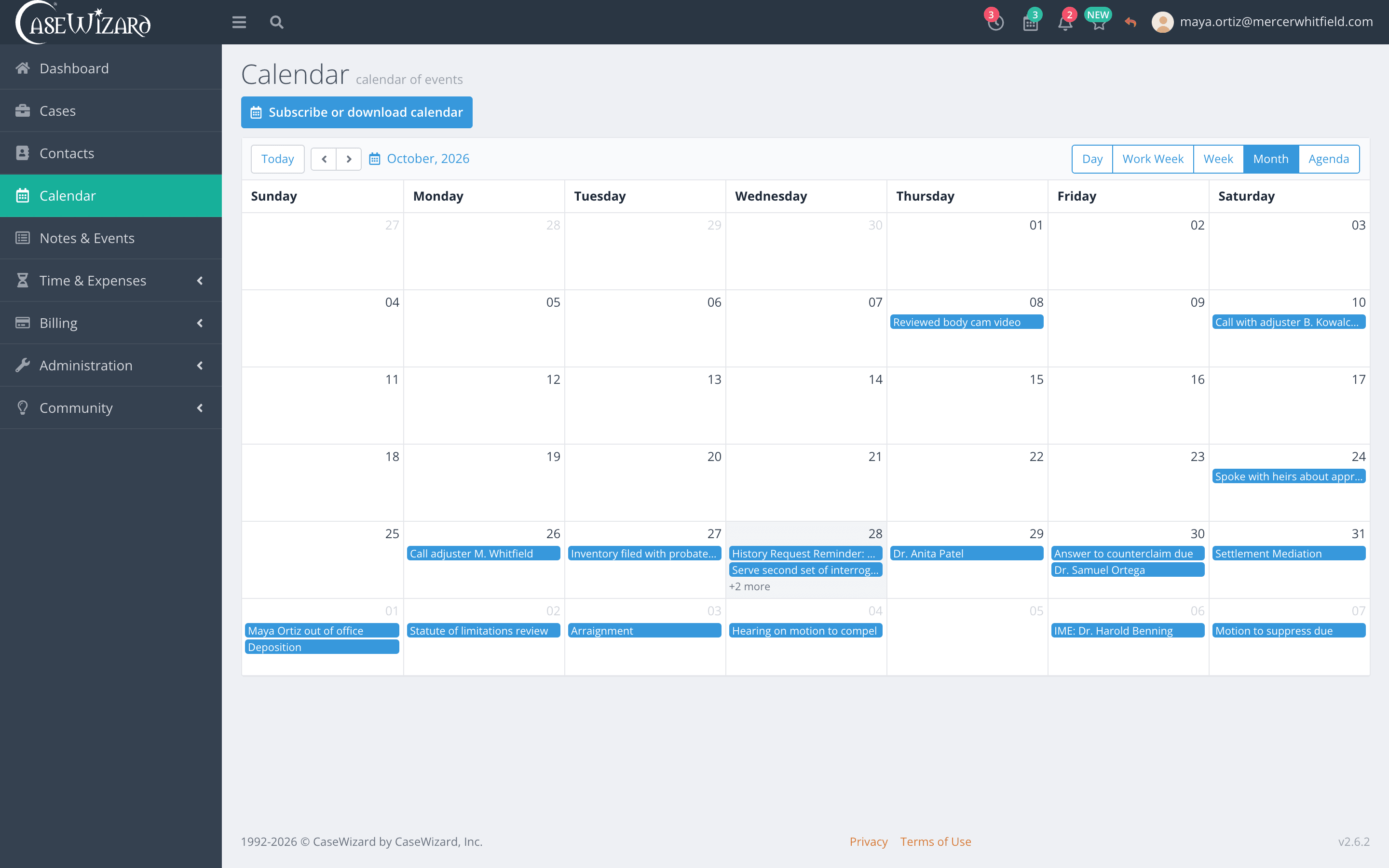
- Check tomorrow's calendar from the courthouse
- Look up a party's details before a call
- Start a timer as you walk into a meeting
Security and control
Your firm decides who sees what.
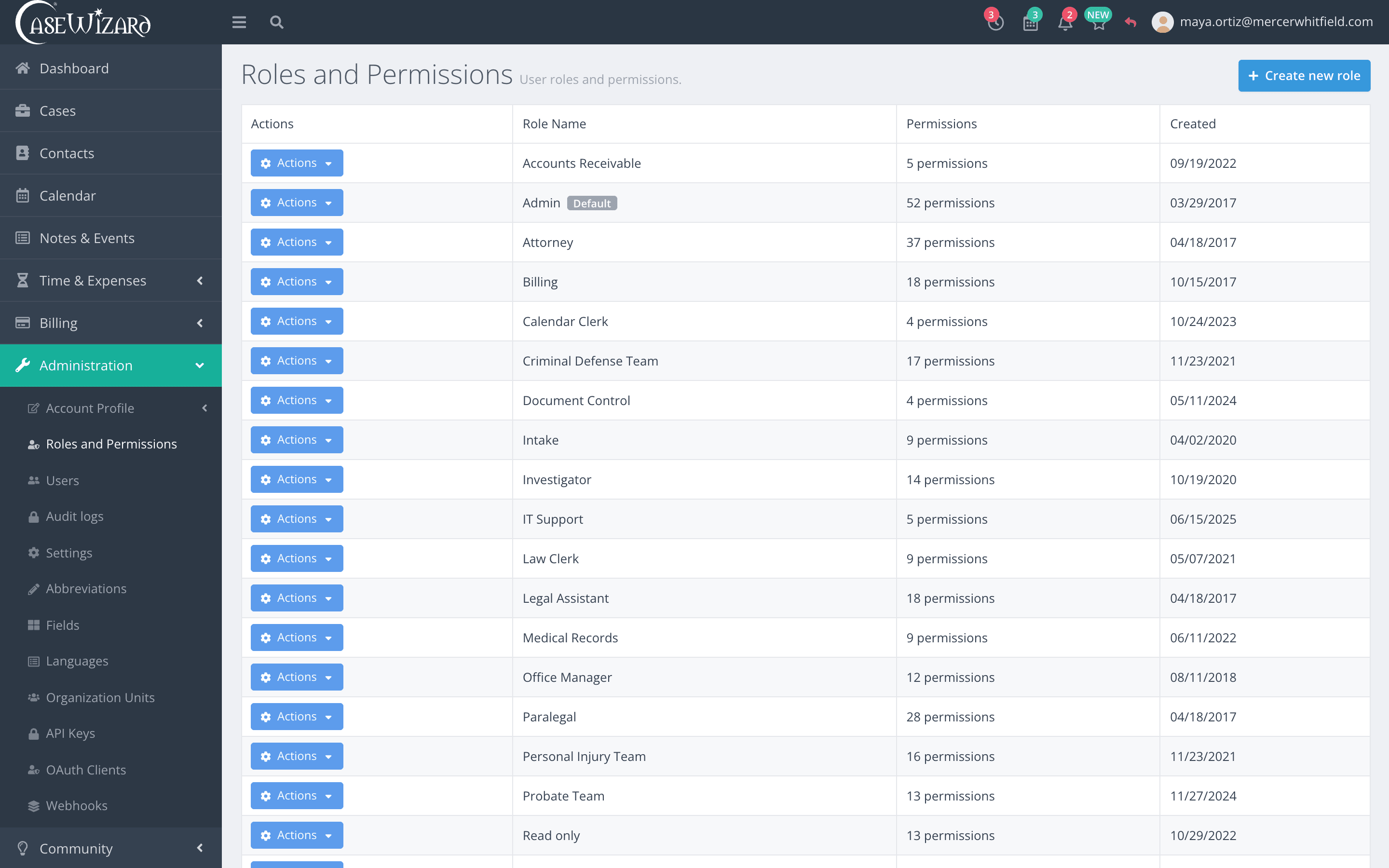
Client files need care. CaseWizard gives an administrator the controls a firm needs, and a record of everything that happens.
- Permissions by function
- Grant or withhold each function, role by role.
- Changes apply at once
- People see a permission change without signing out.
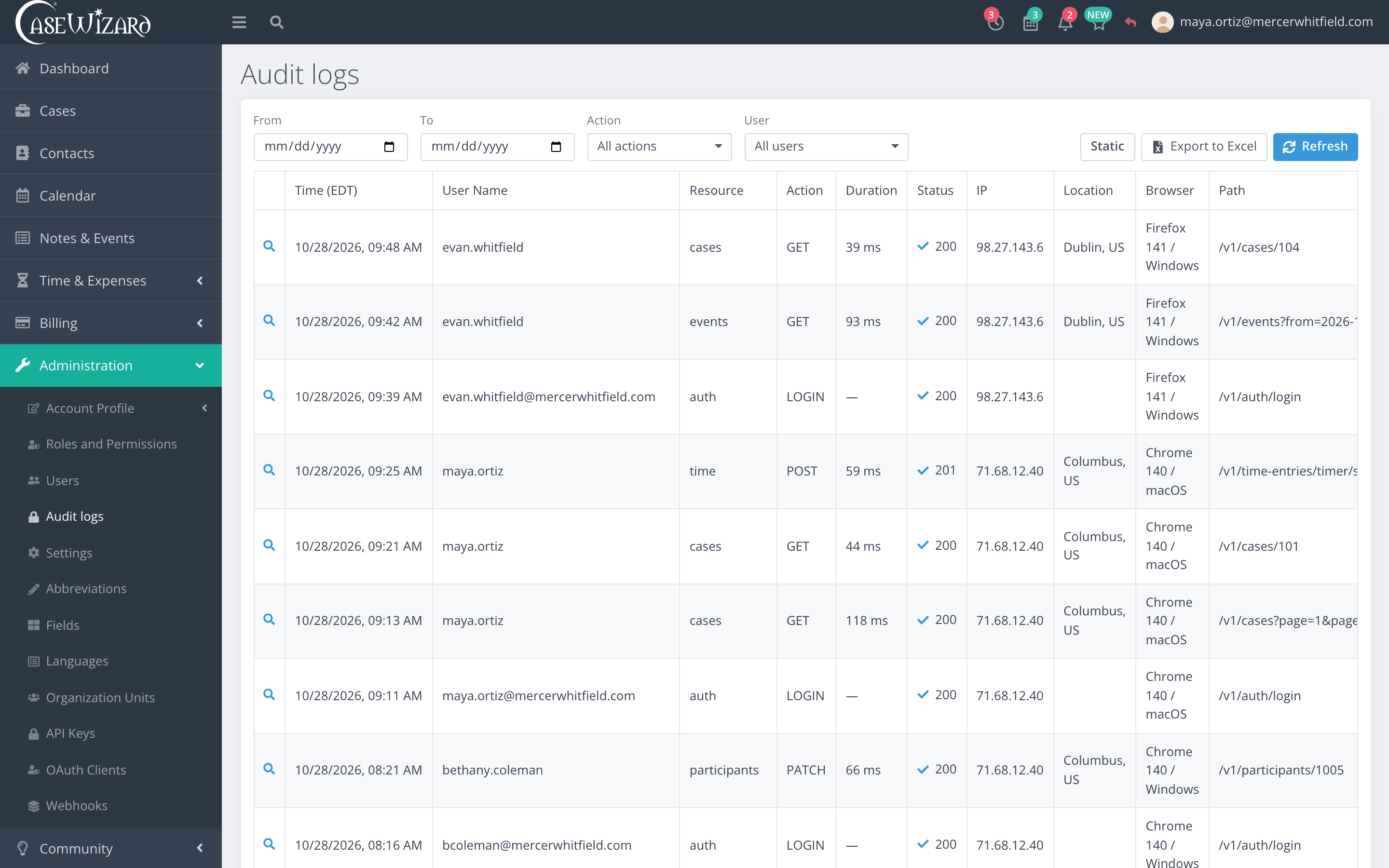
- A full audit log
- Every action, with the user, IP address, location and browser.
- Two-step sign-in
- A code from an authenticator app, with one-time backup codes, or a passkey.
Measured
Faster, with the numbers to show it.
In October we went through CaseWizard looking for every wait we could remove. These are the before and after figures from the changes we shipped.
First page of the time list
A firm with 100,000 time entries.
Before37 msAfter0.09 ms411× faster
Tab lists loaded when a case opens
Liens, charges, expenses and the rest now wait for their tab.
Before10 listsAfter0 lists10 fewer requests
Round trips to keep you signed in
Refreshing a session token.
Before7 tripsAfter2 trips5 fewer
Pre-bills written at once
Batch Prebills, after one bulk read per table.
Before1 at a timeAfter4 at a time4× the throughput
Webhook subscribers served at once
Each subscription still receives events in order.
Before1 at a timeAfter5 at a time5× the throughput
Timings were measured on a development machine with a production-sized firm. Counts come from the code itself.
Shipping
Better every week, in public.
Each square is a day of work on CaseWizard since May. The darker the square, the more changed that day.
- changes shipped
- 391changes shipped
- new features
- 175new features
- fixes
- 336fixes
- code updates
- 1,114code updates
And the rest
Everything else a practice needs.
- Word add-in
- Insert merge fields from the case you are working on while you draft, and see which fields are still empty. Sign in with a passkey.
- Discovery
- Interrogatories, requests for production, depositions and their due dates, kept with the case.
- Reports
- Billed and collected, collections by attorney, A/R aging by client and payments, from the same numbers as your invoices.
- Notes and events
- Calls, meetings and notes logged against the case, so the history is there when someone picks the file up.
- Contacts
- Clients, opposing counsel, courts, adjusters and providers kept once and linked to every case they appear on.
- Help moving over
- We move your data from your old system and set CaseWizard up for your practice areas before your team signs in.
Early access
A new look, on the way.
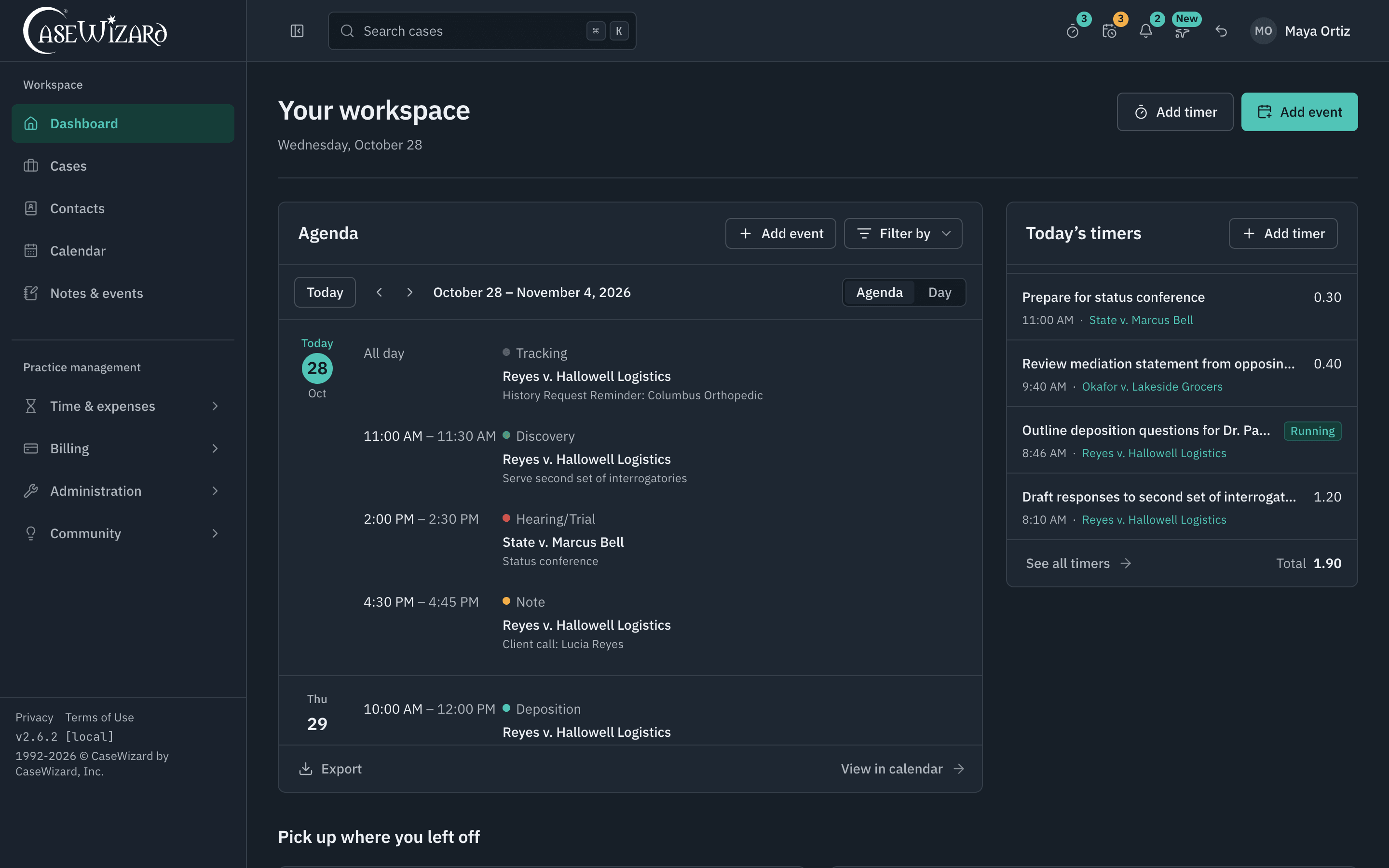
We are redrawing CaseWizard one screen at a time. Every field, button and address stays where your team knows it; the type, spacing and colour are new, with a day and a night theme. It is in early access while we finish it. The screens above are CaseWizard as firms use it today.
Follow the progress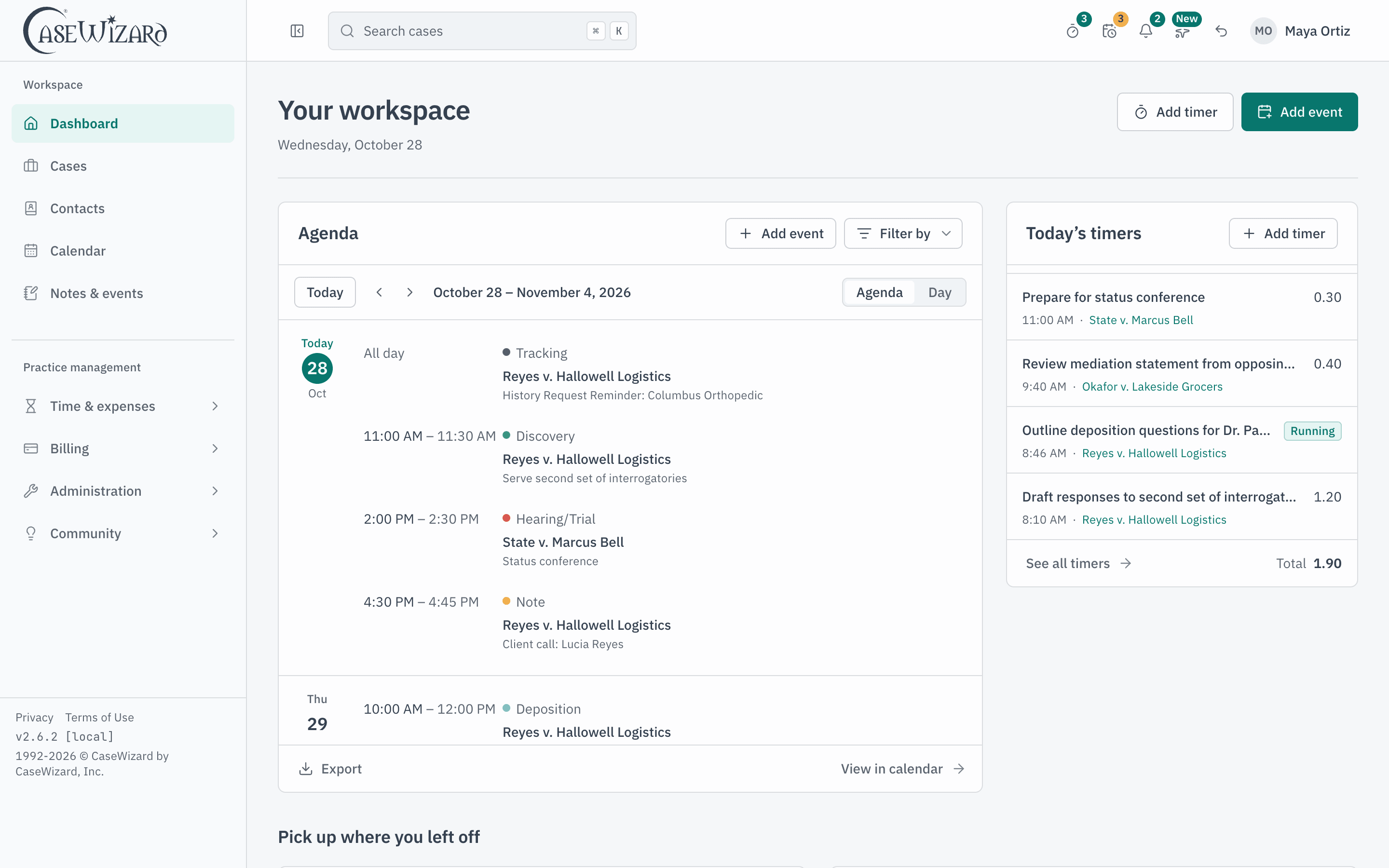
See it with your own cases.
We set the demo up for your practice areas, walk through cases, documents, calendar and billing, and answer your questions about moving your data over.